
 Not so long I wrote about a problem with the Mendeley plug-in for Microsoft Word 2016 for Mac. The problem persists despite I updated my program to Mendeley Desktop 1.17.8.

Looking in the web for possible ideas or clues to the solution, I found the web page of the Linköping University (no idea where it is) says that «Mendeley has an «experimental» plug-in for Word 2016 for Mac under development» with instructions for downloading. This implies to download a Mendeley Desktop beta or alfa version (versión 1.17.9-dev3). In fact, this version says has a fix for the plug-in for MS Word for Mac 2011.
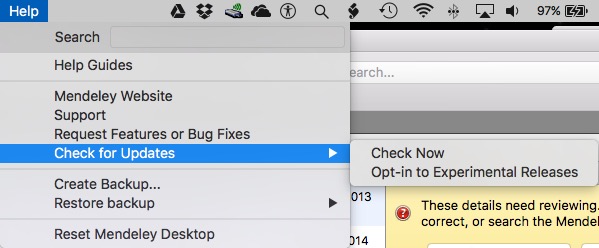
Downloading and installation were from inside Mendeley Desktop, so the installer took in charge of the whole process. Unfortunately, at the end the problem was still there, so I decided return to version 1.17.8. For my surprise, it seems cannot be accomplished.

I proceed to download the program again from the Mendeley web site and install it over the already installed experimental version (working in Finder). After installed, I proceed to uninstall and reinstall the plug-in. To my surprise, the problem was fixed!
 Mendeley Support says thet uninstalled and reinstall the plug-in, as well as the Desktop, solves the problem, but the former did’nt works for me. Uninstall and reinstall Mendeley Desktop was something I don’t want to do because the risk to lost or corrupt the document database. So, I prefer to overwrite the experimental program with the stable last version. But, there’re some quirks.
Finder reports

while Mendeley Desktop shows
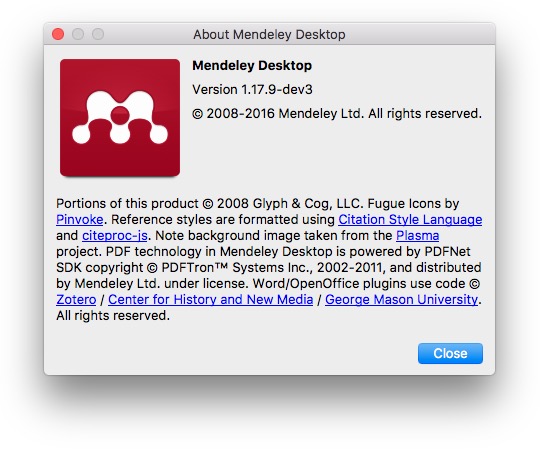
Any attempt to update the program or opt-out of experimental evaluations reports to be working with the latest version with no option for a downgrade. The plug-in still works (apparently) with MS Word for Mac 2011, so there are no other problems and that is enough for me at this time. I think this will be fixed as long as new updates are released.

 Dr. Edu